

Android APK
Master Teen Patti APK: download & file record
Read the supplied Master Teen Patti APK record, current confirmation status and Android installation steps.
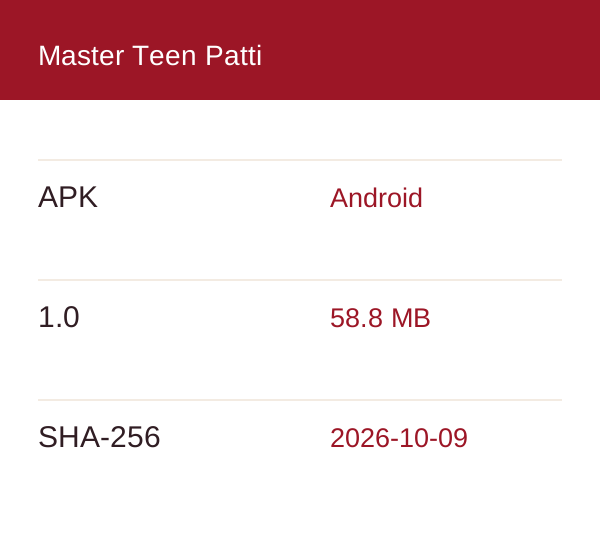

Supplied file only. Current-release authorisation and publisher identity remain unconfirmed.
App information
File inspected on 9 October 2026 without installation or execution. The manifest, byte count and SHA-256 were read; app safety and current-release authorisation were not established.
| Version | 1.0 · code 1 |
|---|---|
| File | Master Teen Patti APK 58.8 MB · 58,822,105 bytes |
| Inspected | 9 October 2026 (not a release date) |
| Requires | Android 5.0+ (API 21) |
| SHA-256 | b405f991e555fd1467cff3ac887a0ef9a56d514d9b79fd043d6e5edbb34e579a |
| Package / publisher | com.teenpattivexora.qeltrionyx Publisher not confirmed |

Scan on your Android phone to open this download record and review its status.
What these fields can tell you
| Record | Interpretation |
|---|---|
| Exact bytes + SHA-256 | Compare file contents with this observation; this is not a safety certificate. |
| Manifest version | A value declared inside the package, not proof that this is the newest release. |
| Inspection date | When the file was read; not when the publisher released it. |
Before opening the APK
Illustrated checklists, not app screenshots.
Before you install
- Source first. A filename does not identify its publisher. Read the release-status notice above and resolve the current-authorisation question before treating the supplied file as an official update.
- Compare the complete file. The recorded count is 58,822,105 bytes; a rounded “58.8 MB” display is less precise. A matching SHA-256 identifies the same bytes as this dated record.
- Read device requirements with their source. Android API 21 is declared by the manifest. That does not establish compatibility with every Android 5.0+ phone, processor or existing app installation.
- Separate permission from protection. A browser’s install-source setting and a harmful-app warning are different decisions. Keep Play Protect on, and investigate an unsafe-app warning before continuing.
How to install the APK
Finish and identify the file
Once the release source is confirmed, let the download complete before opening it. Compare its full details with this record; a shortened filename in the browser is not sufficient evidence.
Read the Android prompt
An installation prompt can ask for a source permission, report an incompatible update or flag a security issue. Read the entire message and use the matching installation guide section. Do not disable protection to bypass a warning.
Check the result before continuing
If installation stops, save the exact error and note whether an older copy is present. If it completes, read the actual operator and permission information before entering account details. Neither outcome has been device-tested here.
APK file record
- Version 1.0
This entry preserves the properties of the file observed on 9 October 2026. It is useful for comparing a later download, but it cannot tell you what changed inside an app update. A publisher changelog and confirmed release identity are still needed.
Install problems
The file is smaller than the record. What next?
Check whether the browser still shows a download in progress or a failed transfer. Do not install a partial file. If a completed file differs, investigate the source instead of assuming it is the same release.
The checksum matches. Is that enough?
It answers the same-file question only. Publisher identity, current authorisation and on-device behaviour require separate evidence.
An older app is installed. Can this update it?
A matching brand name does not establish an update relationship. Confirm the package and signing relationship with the publisher, and protect access to existing data before any uninstall.
Where are the full installation steps?
The separate installation guide walks through source checks, completed files, device requirements and Android prompts. Use the error article when you already have a specific failure message.